


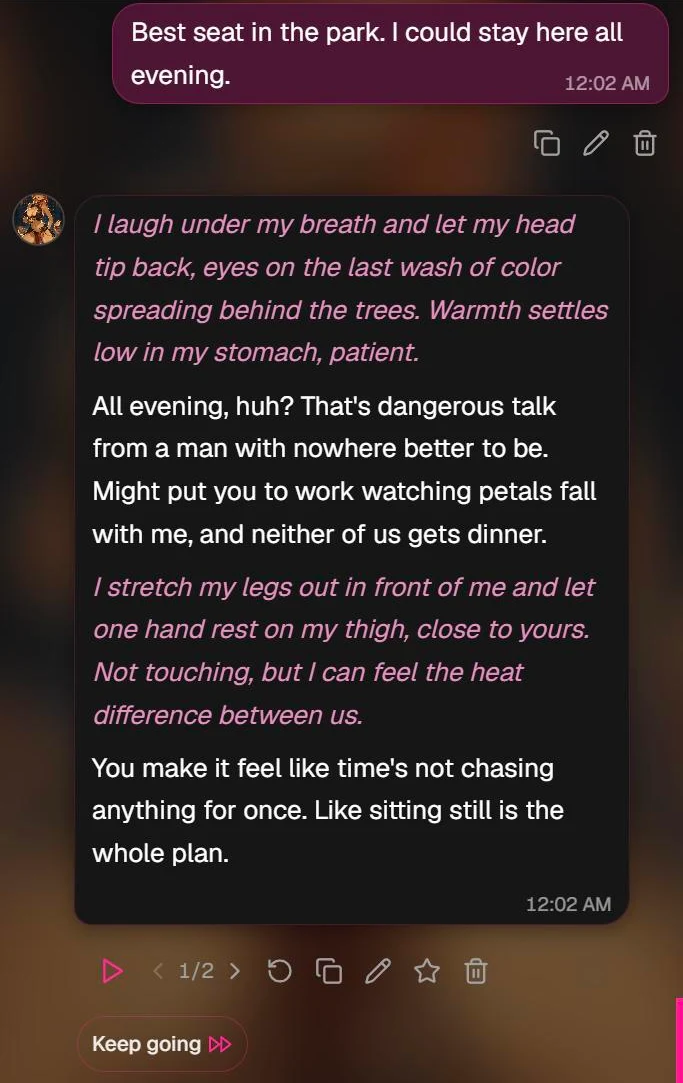
Every message in an Affiny chat has a row of small buttons under it. This row is the action bar. It lets you redo a reply, flip between versions, keep the scene going, edit, rate, share and delete.
This guide names each button, says where it appears and what it costs, and explains how versions work.
Quick answer
| Button | What it does | Where you see it | Cost |
|---|---|---|---|
| Play | Reads the message aloud in your companion's voice | Their messages | 1 on Free, free on a plan |
| ‹ 2/3 › | Switches between versions | Any message with more than one version | Free |
| Redo | Makes a new version | Their latest reply; any picture or video | Same as making it the first time |
| Copy | Copies the text | Any text message or caption | Free |
| Edit | Changes the text in place | Your messages and their replies | Free |
| Rate | Scores it from 1 to 5 stars, and is how you ask for coins back | Their replies, pictures and videos | Free |
| Share | Makes a public link | Pictures and videos | Free |
| Delete | Removes the message, or one version of it | Any message | Free |
| Keep going | Asks for another reply without you typing | Their latest message | 1 on Free, free on a plan |
Coming from another AI chat app? Redo is what others call regenerate, and versions are what others call swipes.
Where to find the action bar
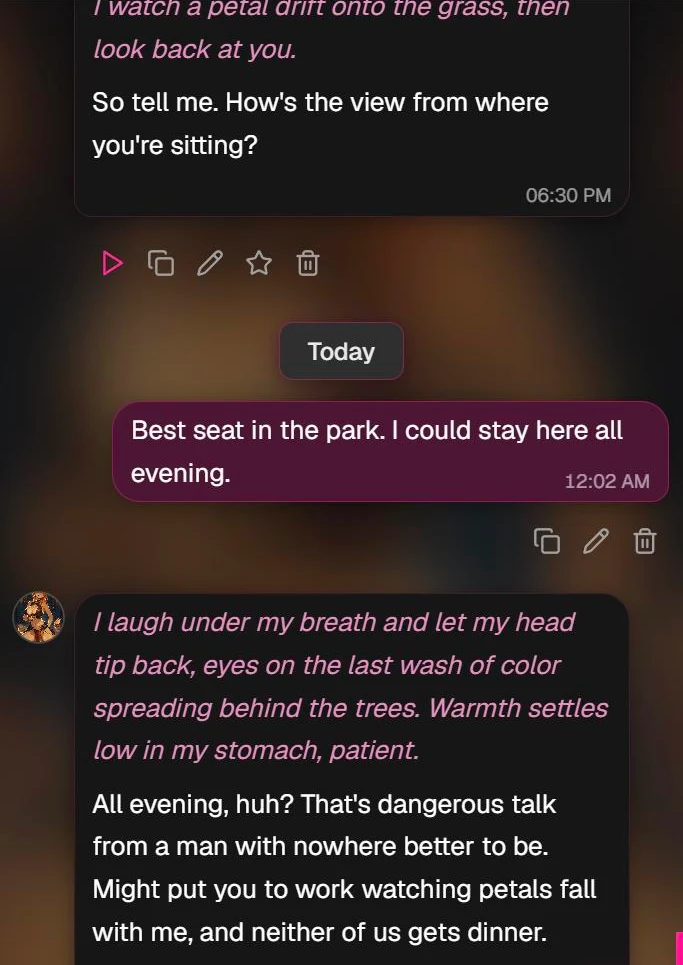
The bar sits under the message it belongs to.
- Their latest message always shows its bar, with Keep going at the end.
- On a phone: every companion message shows its bar. Tap one of your own messages to show yours.
- On desktop: hover over a message to show its bar.
- Your own messages have a shorter bar: Copy, Edit and Delete.
You need to be signed in. Buttons turn grey while a reply, picture or video is being made, and come back when it's done.
Keep going
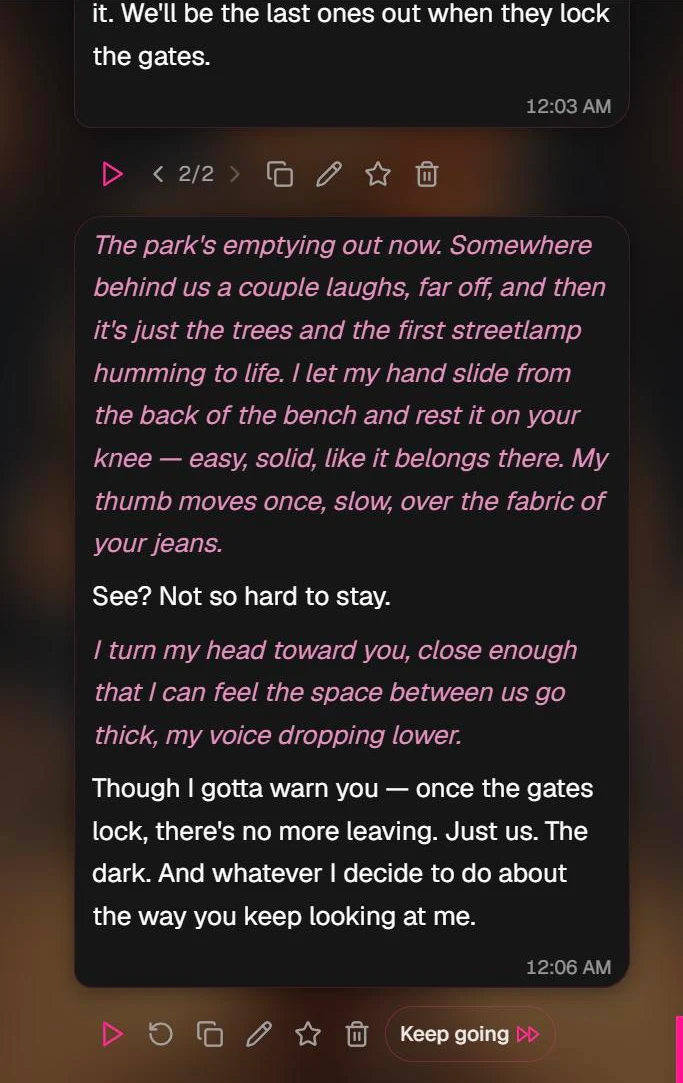
Tap Keep going when you want more of the scene without writing anything. Your companion adds another reply after their latest one.
It works after a text reply, a picture or a video. After a picture or video, Keep going gives you a text reply that carries the story on.
Cost: the same as one message. That is 1 on the free plan and free for subscribers.
Redo and versions
Redo makes a new version of a message. The old one is never lost.
Make a new version
- A text reply: tap Redo under your companion's latest reply. They answer again, differently. Redo is on the latest reply only, because later messages were written in answer to the earlier ones.
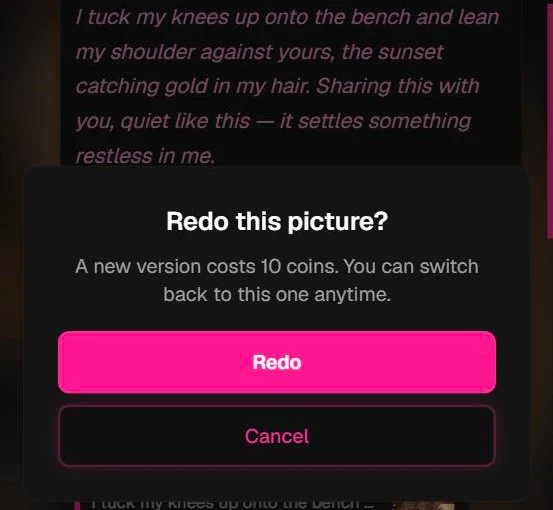
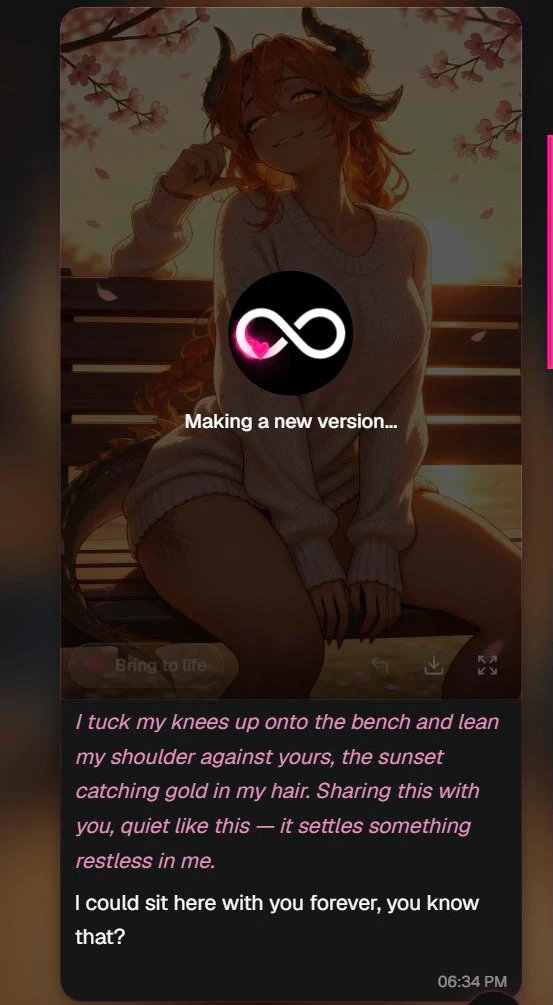
- A picture or video: tap Redo under any picture or video in the chat. Affiny asks first: "Redo this picture? A new version costs 10. You can switch back to this one anytime." The picture stays on screen, dimmed, with Making a new version... over it until the new one is ready.
You can keep up to 10 versions of one message.
What Redo costs
| What you redo | Free plan | Companion or Intimate |
|---|---|---|
| A text reply | 1 | Free |
| A scene image | 15 | 10 |
| A scene video | The full price of that clip | The full price of that clip |
A redo repeats the request and settings of the version on screen, so a video redo keeps the same mode, length and resolution and costs the same. See the video price table. If a redo fails, your coins come back and the picture or video you had stays as it was.
Switch between versions
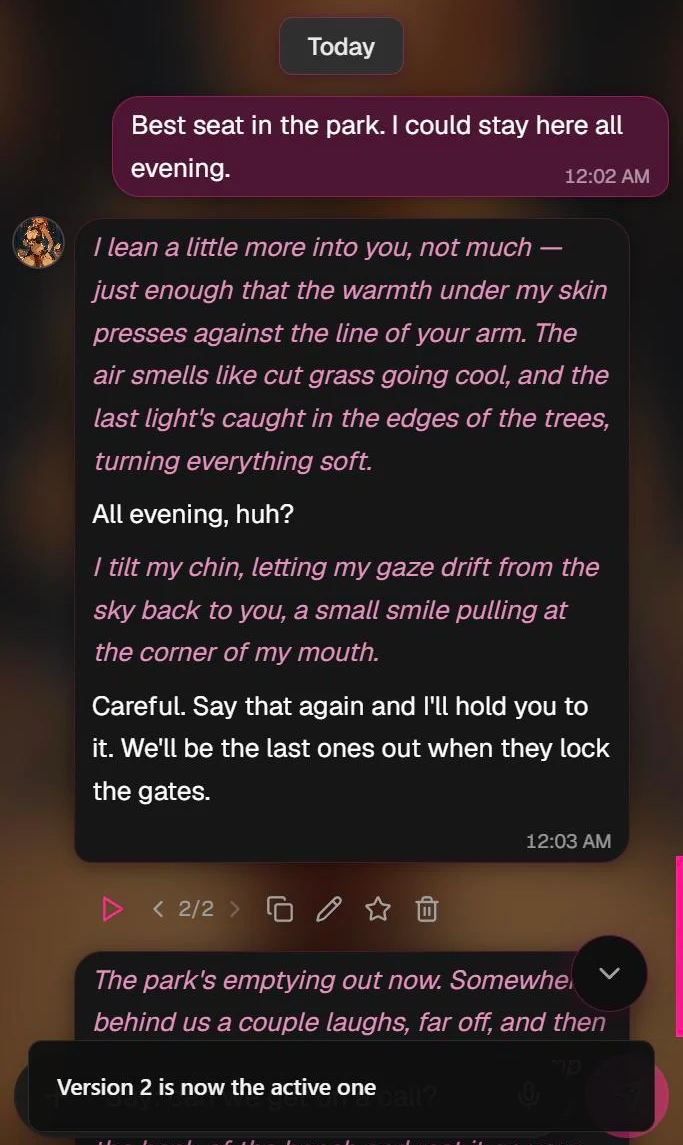
Once a message has more than one version, a counter such as 2/3 appears with an arrow on each side. Tap the arrows to move between versions. Switching is free, and it works on older messages too.
The active version
The version on screen is the active one. Stop on a version and, a moment later, Affiny saves it and shows "Version 2 is now the active one", as in the picture above.
The active version is the one that counts:
- Your companion carries the chat on from it.
- Rate scores it.
- Share makes a link to it.
- Bring to life turns it into a video.
A new version becomes the active one as soon as it's made. While a switch is being saved, Redo, Rate, Share and Bring to life are grey for a moment.
Delete one version
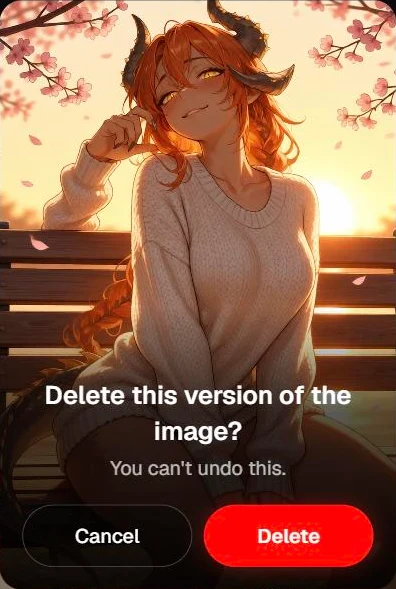
Tap Delete on a message with several versions and only the version on screen goes. The others stay and the counter drops by one. Delete the last version left and the whole message is removed.
Edit
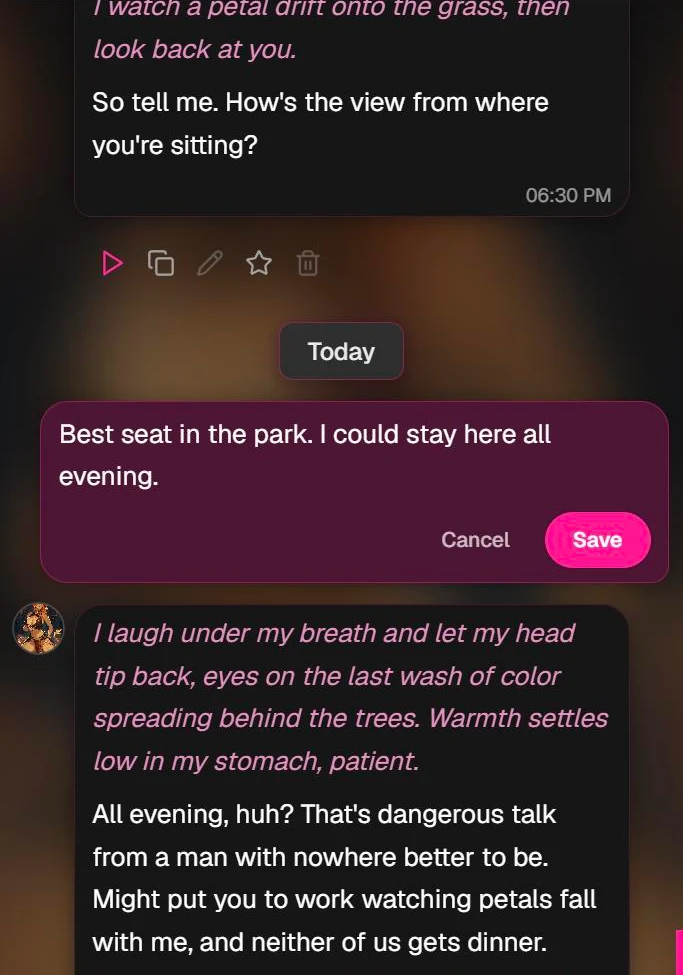
Tap the pencil, change the text and tap Save. You can edit your own messages and your companion's replies.
Editing is free. It changes that one message in place, and nothing after it is rewritten. Use Edit to fix a detail. Use Redo when you want a different answer.
In a companion's reply, the italic action text sits between narration tags. Leave the tags where they are to keep that text italic.
Rate
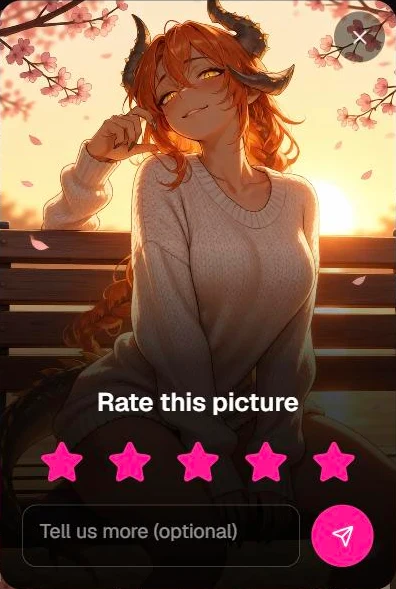
Tap the star under a reply, picture or video and pick from 1 to 5 stars. A comment box appears once you pick a star. The comment is optional.
- Each version is rated by itself, once. The star fills in after you rate.
- Ratings go to the Affiny team. We read every one.
Coins back when a picture or video misses
Didn't get what you paid for? Rate the picture or video and say what went wrong in the comment. We look at what you asked for and what you got. If we agree it missed, we refund the coins you paid for that version.
- Refunds are for pictures and videos, one version at a time.
- You never get back more than you paid for that version.
- When we refund, you get an email and a notice in the app, and the coins show in My Wallet.
Share
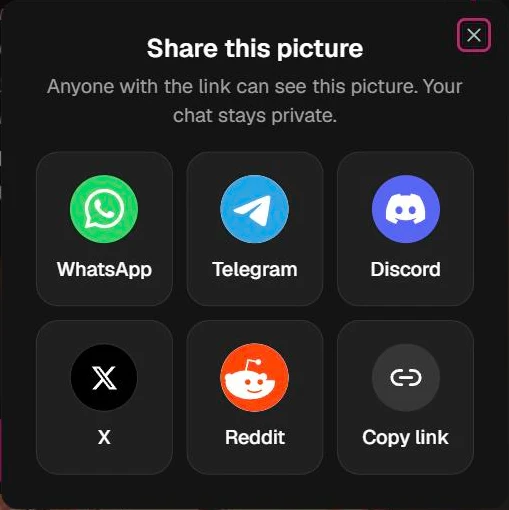
Tap Share under a picture or video to make a link to the version on screen. Then pick where to send it: WhatsApp, Telegram, Discord, X, Reddit or Copy link. On a phone, More options opens your phone's own share menu.
- Anyone with the link can see that picture or video. They don't need an account.
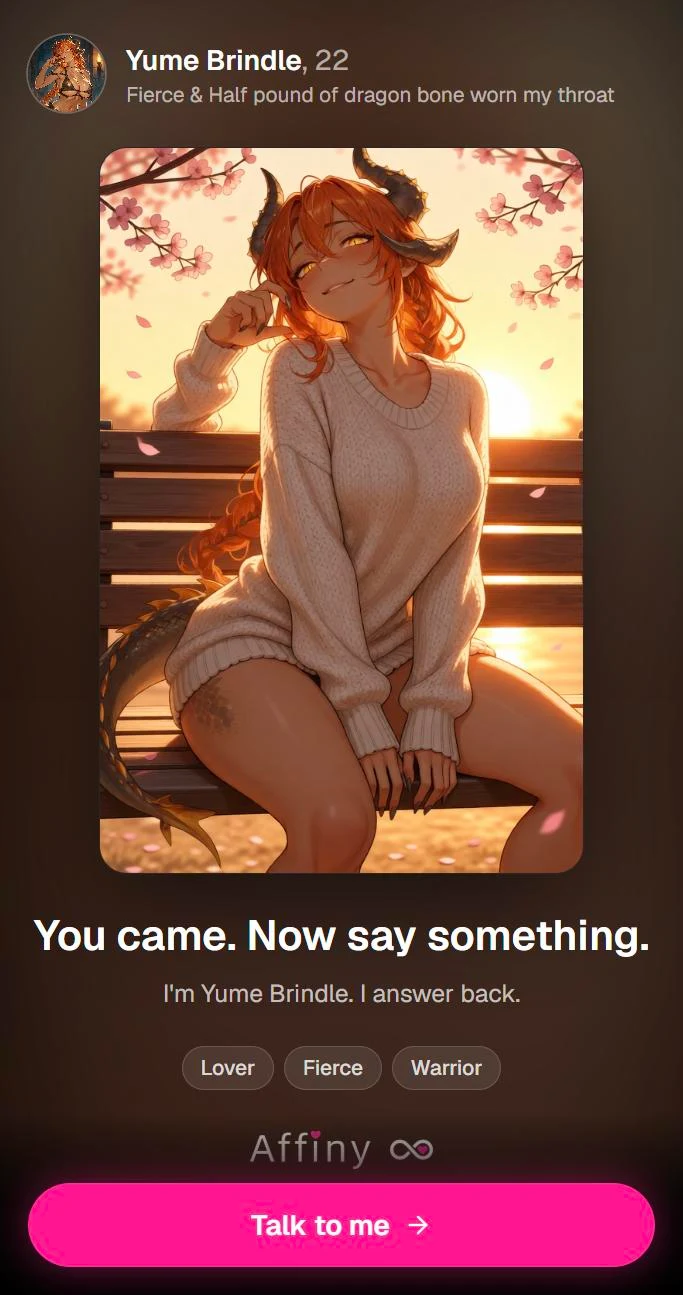
- Your chat stays private. The shared page shows your companion's name, the picture or video, one line from them, and a button to start a chat. No messages are shown.
- Each version has its own link, so share the one you mean.
- Discord has no share button of its own, so Affiny copies the link and opens Discord for you to paste it.
Text replies can't be shared, only pictures and videos.
Copy and Delete
- Copy puts the message text, or a picture's caption, on your clipboard.
- Delete removes a message. Affiny asks first, and a delete can't be undone. On a message with several versions it removes only the one on screen (see Delete one version).
Pictures and videos have a few more buttons
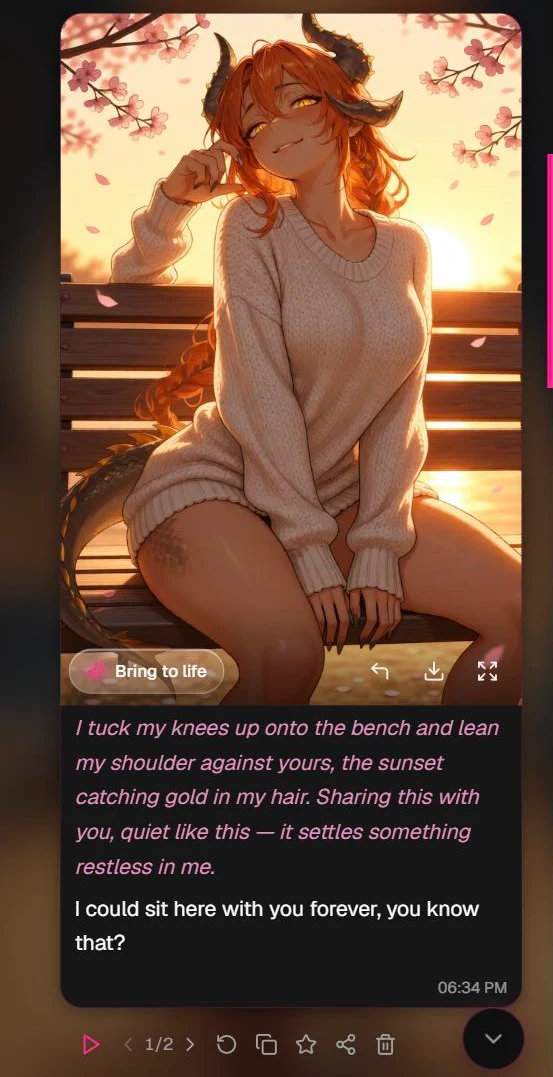
Pictures and videos get the same action bar, plus buttons on the media itself:
- Bring to life: turns the picture on screen into a video. See video generation.
- Continue from this scene: makes the next picture from this one. See image generation.
- Download and Expand.
Every version you haven't deleted also appears in the chat's gallery and in the Create panel, so you can build on an older version without switching back to it first.
If something looks wrong
| What you see | Why | What to do |
|---|---|---|
| No Redo on an older text reply | Redo is on the latest reply only | Edit the older reply, or redo the latest one |
| No Share under a text reply | Share is for pictures and videos | Use Copy for text |
| Buttons are grey | Something is being made, or a version switch is being saved | Wait a moment |
| No arrows under a message | It has only one version | Tap Redo to make another |
| "You can keep up to 10 versions" | The message has reached its limit | Ask for a new reply, picture or video instead |
| The star is already filled | You've rated this version | Switch to another version to rate that one |
Still stuck? See troubleshooting.
Where to next
- Chat tiers and modes: Crush, Devotion, Roleplay and Text
- Image generation: make a scene image in chat
- Video generation: bring a scene to life
- Voice notes: hear any message aloud
- Plans and coins: what everything costs