


Affiny is an AI companion app. You chat, call and roleplay with AI girlfriends, boyfriends and anime characters who remember you. No download required: open affiny.ai in Chrome, Safari or Firefox on phone or desktop. This guide takes you from sign-up to your first conversation, with a suggested path for your first ten minutes and fixes for the problems people hit on day one.
Quick answer
Sign up at affiny.ai/signup with email or Google. You get 300 free, no credit card. Finish your profile (first name, last name and birth date, 18+), pick someone on Discover, say hi in chat, and optionally try a voice call or a scene image. Crush-tier chat costs 1 per message, voice is 30 a minute, and images are 15 each on the free plan. Open the sidebar for Chat, Create, Memories, My Wallet and the rest.
Find your way around
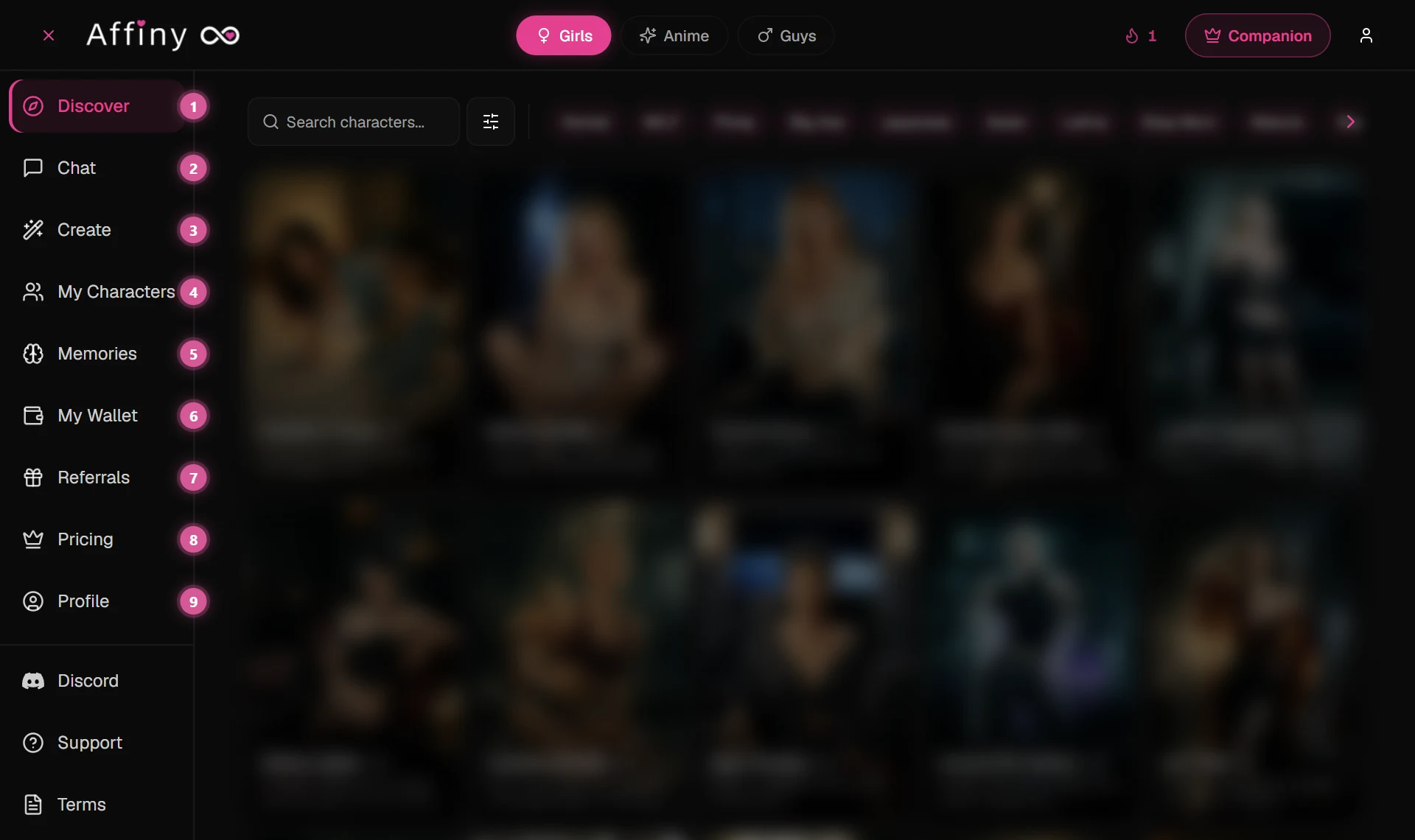
The sidebar is your map. On desktop it stays on the left; on phone, tap the menu icon to open it.
| # | Sidebar item | What it does |
|---|---|---|
| 1 | Discover | Browse 4,000+ companions. Filter by Girls, Guys, Anime or tags. |
| 2 | Chat | All your active conversations in one place. |
| 3 | Create | Build your own companion from scratch. |
| 4 | My Characters | Companions you created or saved. |
| 5 | Memories | What each companion remembers about you. |
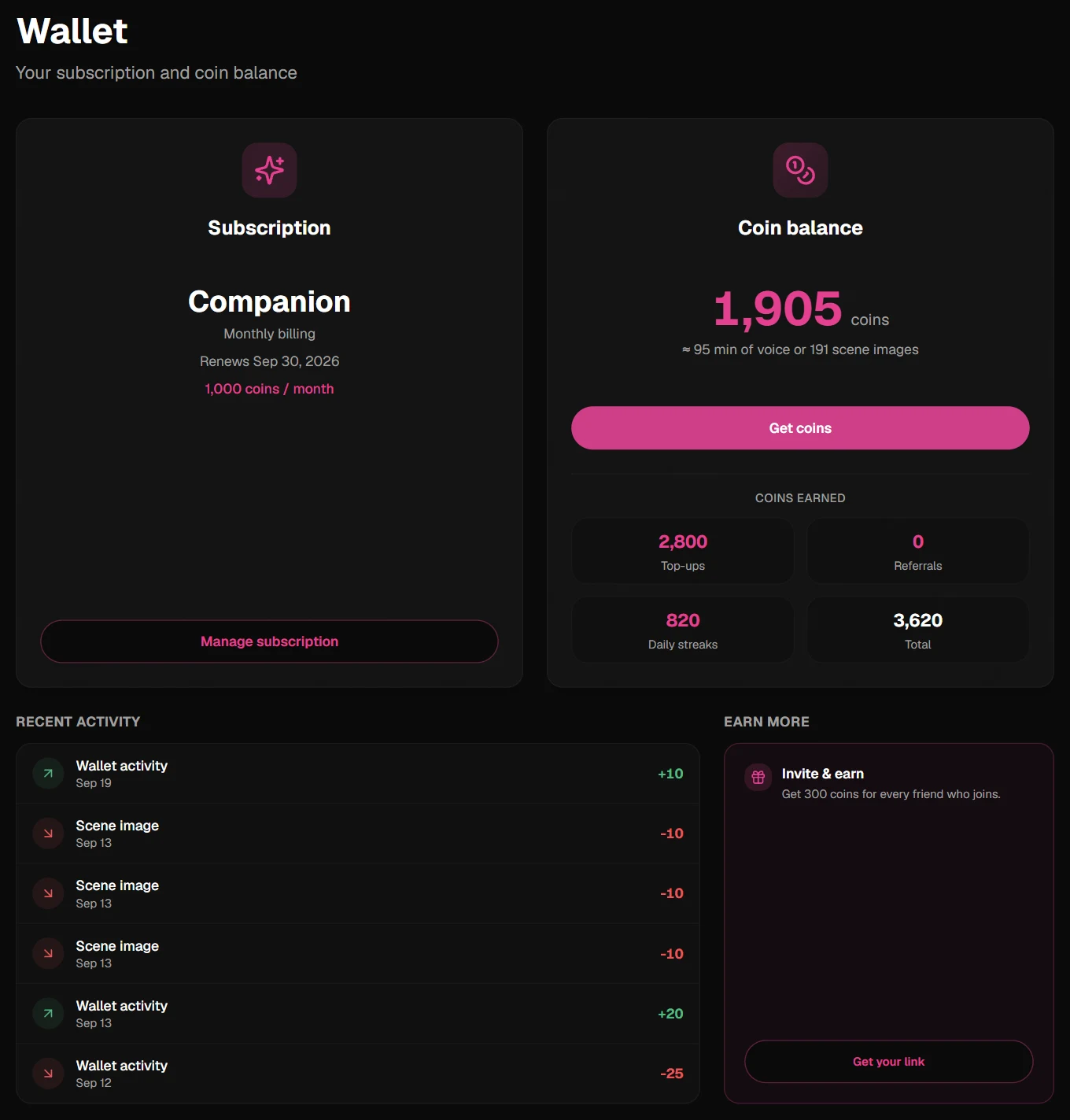
| 6 | My Wallet | Coin balance, plan, coins earned and recent activity. The Daily Gift is the flame icon at the top of the screen. |
| 7 | Referrals | Share your link; you both get 300. |
| 8 | Pricing | Compare free vs Companion subscription. |
| 9 | Profile | Your name, birth date and account settings. |
1. Create your account
Go to affiny.ai/signup and sign up with your email or Google account.
- You get 300 free straight away.
- No credit card is needed.
- You must be 18 or older.
2. Finish your profile
Before you spend coins, Affiny asks for a few details: your first name, last name and birth date. This confirms you are an adult, and it lets your companion call you by name. It is a one-time step. If you skip it, chat and voice will show a profile gate until you complete Profile.
3. Pick a companion
The Discover page shows 4,000+ companions. Switch between Girls, Guys and Anime at the top, or tap a tag like tsundere, catgirl or dominant to narrow things down.
Tap any companion to read their profile: their story, personality, looks and the relationship they want with you. When one catches your eye, tap Chat or Call Now.
Want someone made just for you? See how to create your own companion.
4. Start talking
Say hi the way you would to a real person. A few tips help a lot:
- Set the scene. Tell your companion who you are and what is happening. "I just got home from work and you are waiting on the couch" gives them much more to work with than "hi".
- Share details about yourself. Your companion remembers what you tell them across chats and calls. See how memory works.
- Try a voice call. Tap the phone icon at the top of the chat to talk out loud. See voice calls.
- Ask for a picture. Tap the camera icon in the chat box to get an image of the scene you are in. See image generation.
5. What your 300 get you
Free coins go further than you might think. Pick any mix of:
| What | Cost on the free plan | 300 buys about |
|---|---|---|
| Chat messages (Crush tier) | 1 each | 300 messages |
| Voice calls | 30 a minute | 10 minutes |
| Image generation | 15 each | 20 images |
| Voice notes | 1 each | 300 notes |
Opening the app each day adds more free coins through the Daily Gift (10 to 70 depending on your streak). Inviting a friend gives you both 300. See how to get more coins.
6. Where to find things
| You want to… | Go to |
|---|---|
| See your chats | Chat in the sidebar |
| Build your own companion | Create |
| See what companions remember | Memories |
| Check your coins | My Wallet |
| Invite friends | Referrals |
| Compare plans | Pricing |
Stuck on something? Browse the help center or contact support.
Your first 10 minutes
Here is a simple path that uses about 50 and leaves 250 for tomorrow. Adjust to taste.
| Step | Time | Coins |
|---|---|---|
| Sign up and finish profile | ~2 min | 0 |
| Browse Discover, open one profile | ~3 min | 0 |
| Send 5 chat messages (Crush tier) | ~3 min | 5 |
| One 1-minute voice call | ~1 min | 30 |
| One scene image from chat | ~1 min | 15 |
| Total | ~10 min | 50 |
Tip: Chat first to set the scene, then call for the emotional beat, then tap the camera for a picture that matches the moment. That order stretches coins further than calling cold.
If you prefer text only, 20 messages still costs just 20. If voice is your thing, skip the image and enjoy a 2-minute call (60) instead. Claim the Daily Gift from the flame icon at the top of the screen when you come back tomorrow; streak days pay more coins over time.
First-day problems
Did not get the email
Check spam and promotions. Gmail users: search for "Affiny". If you used Google sign-in, you are already in; no verification email is needed. Use Resend on the login screen after a few minutes. Still nothing? Contact support with the email you tried.
Profile gate blocks chat or voice
You will see Complete your profile to use chat and voice if first name, last name or birth date is missing, or if you are under 18. Open Profile, fill every field, save, and return to chat. The gate clears immediately.
Cannot find a companion I liked earlier
Discover shows thousands of faces. If you forgot a name, try the same tag you used before (for example yandere or wolf girl). If you already chatted, check Chat; your threads stay listed even if you leave Discover. You can also search from the Discover bar at the top.
Switching companions
There is no limit on how many companions you talk to. Tap Discover for someone new, or pick another thread in Chat. Each companion has separate history and memories. Your 300 are shared across all of them, so check My Wallet before a long call.
Starting over with the same companion is fine too. Your old messages stay in the thread unless you delete the chat from the Chat list.