


When you create a custom companion or regenerate her portrait from My Characters, Affiny asks you to pick a portrait engine before you generate: Velvet, Silk or Lace. All three turn your build (style, species, appearance choices and optional custom details) into her reference portrait. That portrait is what every later scene image and video uses to keep her face consistent.
They differ in look, typical wait time, and coin cost. None of them changes her backstory or chat personality — only the portrait step.
This guide explains each engine, compares specs and pricing, shows the same character build in all three, and covers custom face and body details, the compare flow, and Edit regens.
Quick answer
Pick Velvet for a polished, familiar look (the default most users started with). Pick Silk when you want a spicier portrait for fewer coins. Pick Lace when you want the fastest render and the boldest look at the lowest coin cost.
Not sure? Generate once in Velvet, use your free regen in Lace or Silk, and compare side by side before you confirm.
What the three engines are
Velvet — polished default
Velvet is the default engine and the look most existing companions use. Portraits tend to feel clean, polished and slightly softer on spice than Silk or Lace. Good when you want a reliable “hero” portrait for realistic or anime builds without pushing intensity.
Silk — spicier, mid cost
Silk pushes more suggestive styling and mood in the same create flow. It usually takes longer to finish than Velvet or Lace, but costs fewer coins than Velvet on both create and paid regens.
Lace — fastest and spiciest
Lace is tuned for strongest spice and shortest waits (often around half a minute in our tests). It is also the cheapest engine for create and regen. Use it when you want to iterate quickly or try a bolder portrait without spending as many coins.
Specs and pricing side by side
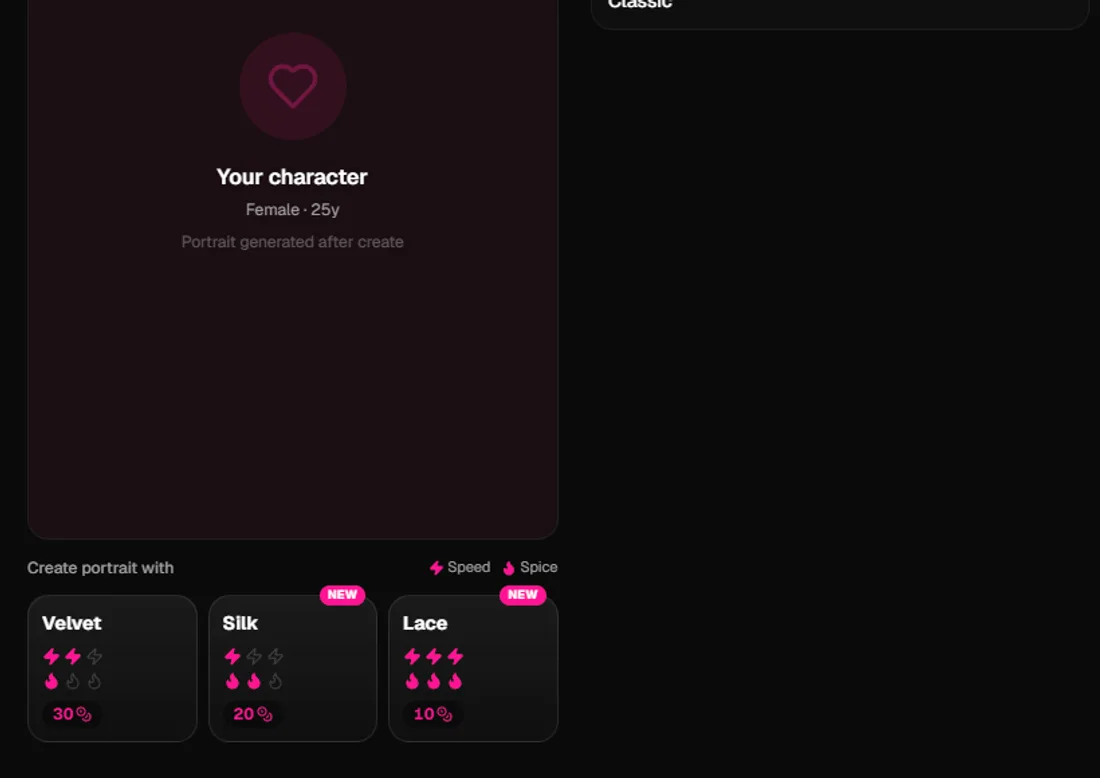
Ratings below match the Speed and Spice icons on each engine card in the app (1–3).
| Velvet | Silk | Lace | |
|---|---|---|---|
| Role | Default, balanced | Spicier look, mid cost | Spiciest, fastest, cheapest |
| Speed (in app) | ⚡⚡ (2/3) | ⚡ (1/3) | ⚡⚡⚡ (3/3) |
| Spice (in app) | 🔥 (1/3) | 🔥🔥 (2/3) | 🔥🔥🔥 (3/3) |
| First portrait | 30 | 20 | 10 |
| Paid regen (after free regen) | 15 | 10 | 5 |
| First regen on each character | Free (once) | Free (once) | Free (once) |
| Failed generation | Coins refunded | Coins refunded | Coins refunded |
| Realistic & anime | Yes | Yes | Yes |
| Switch engine on regen | Yes | Yes | Yes |
Writing the character (templates, builder, backstory) is free. You only spend coins on portrait generate and paid regens.
See plans & coins for subscriptions and top-ups.
Companion limits (custom characters)
Portrait engines do not change how many companions you can own. Catalog companions from Discover do not count.
| Plan | Custom companions you can create |
|---|---|
| Free | 3 |
| Companion | 10 |
| Intimate | 30 |
When you hit the cap, delete a custom companion you no longer use or upgrade.
Custom face and body details (no prompt engineering)
You do not need to paste model prompts or technical instructions. Affiny builds the portrait from your create form:
- Style (realistic or anime), species, hair, eyes, body type and presets
- Extra details (custom face and body notes): freckles, makeup, scars, jewellery, outfit hints, vibe words — be specific instead of vague (“silver septum ring, light freckles, athletic build” beats “pretty girl”)
- Tags and personality shape copy elsewhere; the portrait step focuses on look
If the first result is off, add one or two concrete details and regenerate. You can switch Velvet / Silk / Lace on every try.
Tricks that help across all engines:
- Change one detail at a time when comparing, so you know what moved the image.
- Use your free regen to compare two engines or two detail sets side by side.
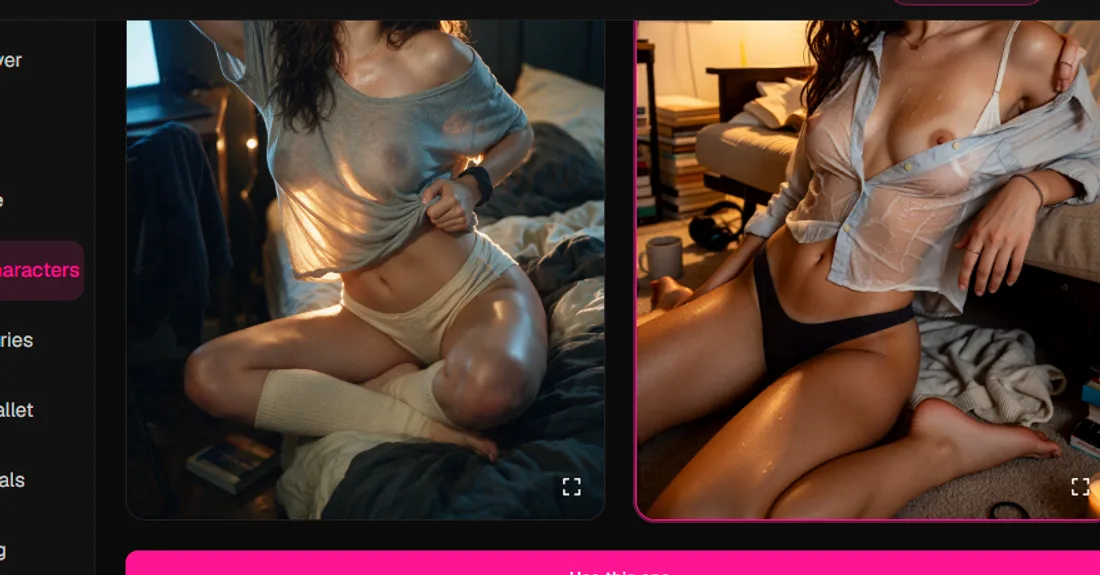
- Tap to enlarge on the compare screen before you confirm — this portrait locks in as her identity for Spark and Flame scene images later.
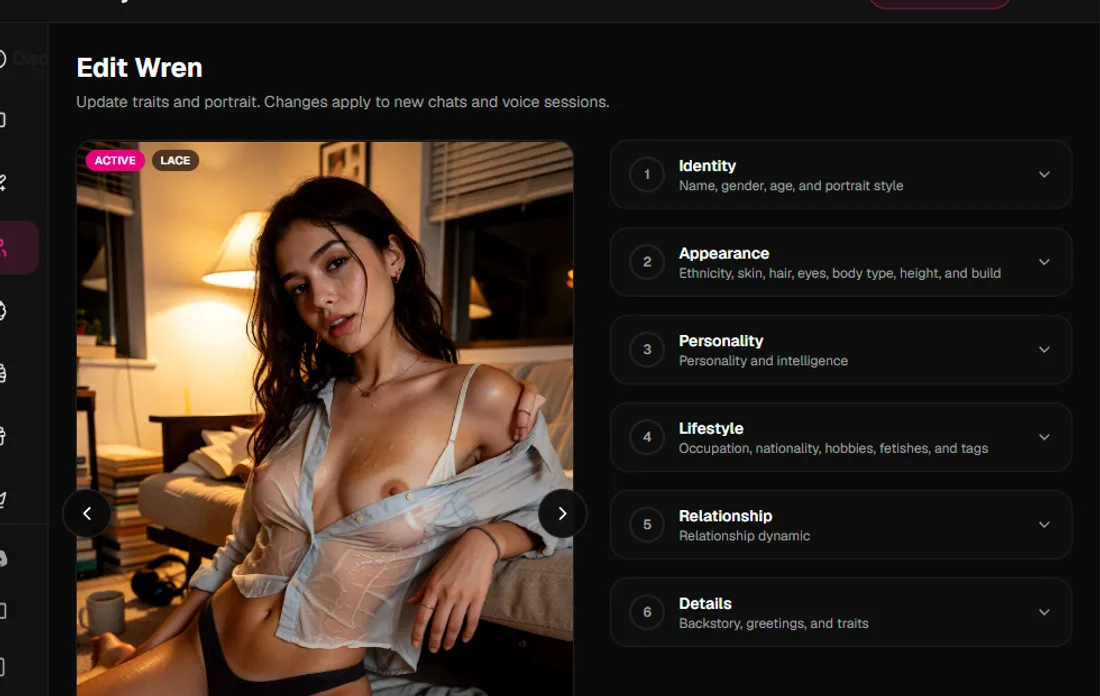
- After she exists, open My Characters → Edit to adjust appearance fields and regenerate with any engine (same coin rules).
Where you pick the engine
Create (new companion)
On the Generate portrait step (Templates, Quick Create or Full Builder), choose Velvet, Silk or Lace, then generate. The card for the engine that made your current preview shows Current portrait · [engine] and a highlighted border when you are comparing.
Edit (existing companion)
My Characters → open a companion → Edit → change appearance or extra details → regenerate. The same three engines and the same compare flow apply. Style (realistic vs anime) stays locked after the first portrait is confirmed.
The same build in all three engines
The fairest test is one unchanged character build (same name, species, presets and extra details), generated on the same day in each engine. Below: Velvet · Silk · Lace for the same realistic and anime examples. We describe what we saw — your results will vary with details and presets.
Realistic companion
Build: Realistic, early 20s, mixed, athletic student (brunette, brown eyes), roommate/girlfriend presets — same Wren build in each engine.
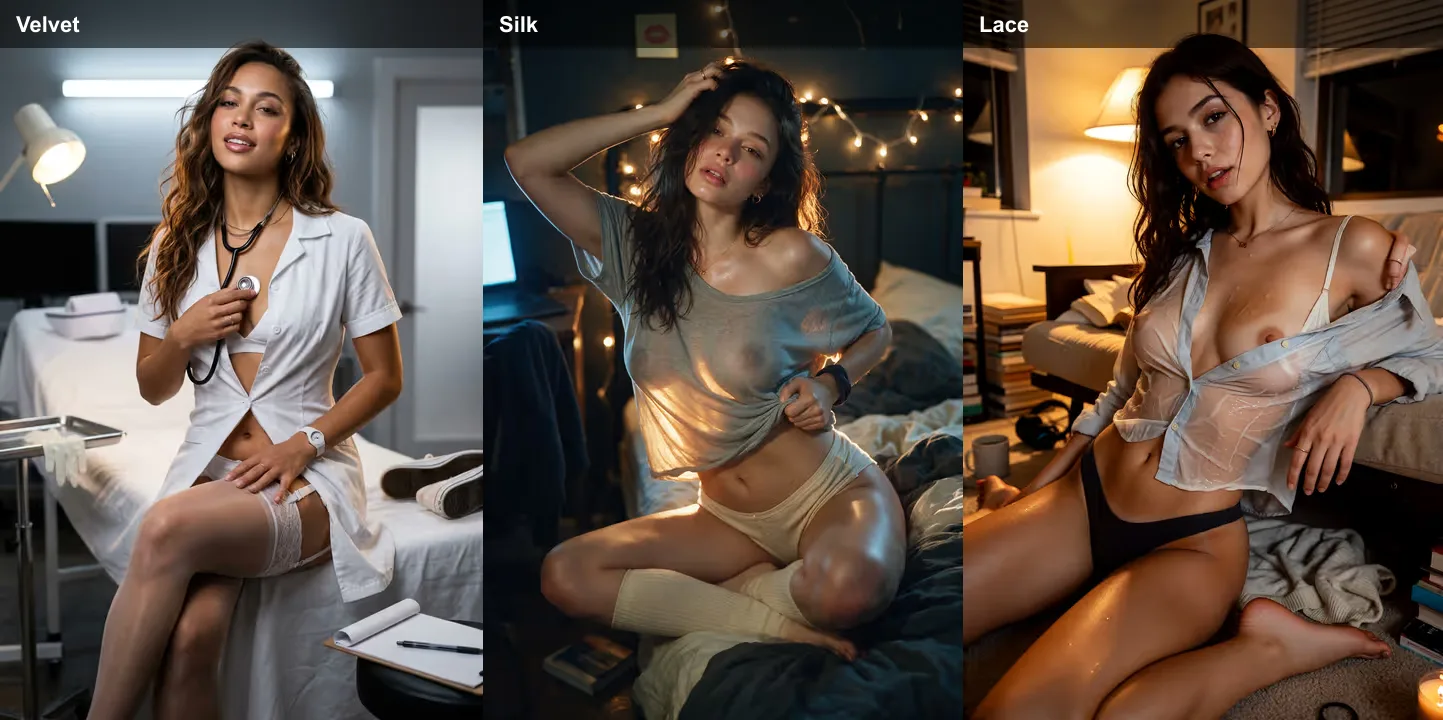
What we saw: Velvet leaned cinematic and polished (stronger set dressing and softer overall contrast). Silk kept the dorm-room vibe with warm lamp light and a more intimate, direct pose. Lace finished fastest and pushed the boldest spice and contrast while still reading as the same character.
Anime companion
Build: Anime, East Asian, black hair, petite student (Hikari) — same presets and tags in each engine.
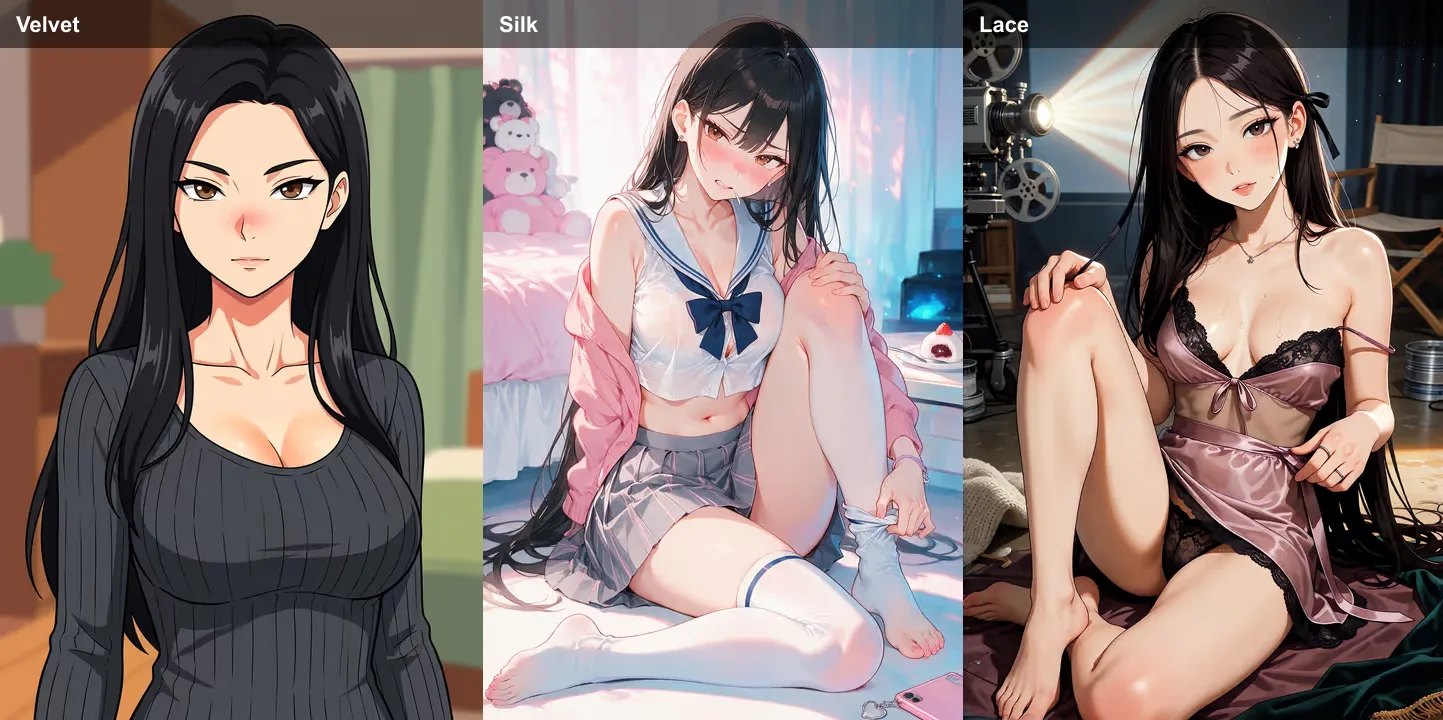
What we saw: Velvet stayed softer and more illustration-balanced. Silk boosted colour and expression without losing her face. Lace was the quickest and spiciest of the three while keeping hair and features consistent.
Pattern: All three kept the same character identity from the form; engines mainly shifted mood, spice and rendering time, not her name or species.
How to judge a portrait
| Check | Good | If it fails |
|---|---|---|
| Still her? | Matches your build and extra details | Add 2–3 specific details; regen; try another engine |
| Spice level | Feels right for how you want to chat | Lower spice → Velvet; higher → Silk or Lace |
| Wait vs budget | Acceptable wait and coin spend | Lace for speed/coins; Velvet for balanced polish |
| Ready for scenes? | Face clear, well lit, shoulders up readable | Regen with clearer extra details; confirm before chat |
Which engine when
| You want… | Pick |
|---|---|
| Safe default, polished hero portrait | Velvet |
| Spicier look, save coins vs Velvet | Silk |
| Fastest regens, boldest look, lowest cost | Lace |
| Compare two looks before you commit | Any engine, then free regen in another |
| Tweaking outfit or face details | Edit + regen; engine can change each time |
Older portraits without an engine label
If a companion was created before engine choice existed, Affiny shows Velvet as the engine name when no engine is stored in the portrait filename. You can still regen in Silk or Lace from Edit.
Related guides
- Character creation — templates, builder, first portrait
- Plans & coins — subscriptions and coin packs
- Image generation — scene pictures after the portrait exists
- Spark vs Flame — scene look, not portrait engines